Monday, December 8, 2014

ISTE Coaching Academy Series - Course 2 Reflection

http://pixabay.com/p-64058/?no_redirect
As I mentioned in a previous post (ISTE Course 1 Reflections), I am working through the ISTE Coaching Academy to continue in my professional growth.  

I just finished working through the second course, entitled: "Coaching to Link Learning and Technology", which was focused on the ISTE Standards for Coaches 3.f-g, which state (emphasis mine):


Digital Age Learning Environmentsf. Collaborate with teachers and administrators to select and evaluate digital tools and resources that enhance teaching and learning and are compatible with the school technology infrastructure
g. Use digital communication and collaboration tools to communicate locally and globally with students, parents, peers, and the larger community

I have described my role as a Digital Learning Coach to others by saying that "I work with teachers to help them effectively integrate technology to improve and deepen student learning".  This course phrases the role of an Ed Tech Coach (in general) as one who helps teachers integrate technology to enhance learning.  Different adjectives, but I think they all go hand in hand.  I want technology to be used as a tool in the following ways:

  • to improve student learning (using video such as screencasts or OfficeMix to allow students to access content at their own pace, using Desmos to help students visualize the math, using formative assessment tools that give immediate feedback such as InfuseLearning, Socrative, or Kahoot to help guide instruction in order to support student growth and understanding, using reflective tools such as Google Forms and Padlet to help students think about their learning and share with others, using collaborative Google Docs so the teacher can be a part of the entire learning process and step in for support and guidance along the way, not just when the final product is submitted) 
  • to deepen student learning (using Desmos to help students make connections among concepts - especially when they are building and play with it themselves, not just watching a teacher use it, using digital discussions via Haiku, VersoApp, or other tools to give students time and space to express their thinking and critically evaluate their peers' thoughts, using strategies such as Peer Instruction - supported with technology in the answering phase - in order to get students explaining concepts to their peers)
  • to enhance student learning (using collaborative Google Docs/Slides/Drawings to allow for better communication among teacher and peers, using collaborative features of Diigo & Thinklink to allow students to construct knowledge both individually and with their peers, discussion strategies such as EdCafes that allow students to take ownership of the content and their learning and delve into topics that interest them related to the concepts being studied, using outside-the-class collaboration opportunities such as blogging with other classes and Skyping in relevant guests)


A few key points that were made at the beginning of the course:

  • We must work to always link technology to the curricular goals of the teacher we work with.  We can't begin with the technology ("I want to use this cool tool") and find ways to use it ("squeezing it in just to say we used technology")... we must begin with the learning goal and find technology that supports that learning goal!  This has really made me think about ways to approach coaching meetings.  It is very easy to get caught up in the "I want to use this tool" bandwagon.  Now, I think there are times that you stumble across a tool and realize it would be a perfect fit for something you already wanted to do.  I think it's an important distinction to make - are we changing our learning goals because we want to use a certain technology tool, or are we taking the learning goals we already had and finding a way to enhance it even further because of the use of the tech tool?
  • Two of the biggest issues teachers face is figuring out the purpose and value of integrating technology and then figuring out which tech tools to use since it seems to be changing so quickly.  There are a lot of teachers that are satisfied with the way things are and don't want to consider changing.  I have found that sometimes teachers don't even see the value in having students use collaborative documents or create representations / models of their learning using digital tools.  Using technology generally takes more class time that simply standing up front delivering notes and direct instruction, so teachers might see it as a "waste of time".  These are all discussions that are not resolved in one sitting.  It's really a mindset / philosophy shift that takes time, seeing it in action, and seeing the results.  Some are quicker to jump on board than others.  I was working with a teacher today who was using Desmos, and spent an entire period having her students explore and predict with polynomial graphs.  Could she have stood up front and delivered the "rules" for polynomial end behavior & turns?  Sure.  However, how valuable is it for students to struggle, to try and predict, to play with the functions and see what happens?  It takes more time, but the learning is so much deeper... the learning is truly enhanced.
  • In terms of the "tech toolbelt"... it's forever changing.  If you try to keep up with it, your pants simply won't stay up.  The tech toolbelt is supposed to HELP & SUPPORT the teaching / learning going on in your class... not drag it down.  It's easy to get swept away with the new cool tool, and while there is value in exploring and trying things out (you never know what you'll find), there is a limit and I think it's okay to find the few tools that work for your learning goals and just get really really good at using them to improve / deepen / enhance student learning.  Then, you can throw in a new tool every once in a while as you find one that matches the learning goals you had.  It will overwhelm you AND your students if you keep trying new things.
I asked my friends on Facebook and Twitter to answer a very brief survey for me about their technology use.  Out of the 36 responses, all but one said "yes" they use technology in their classroom.  As I read through most of the responses below, almost all of them will fit into the category of improving, deepening, or enhancing student learning.  Some definitely don't.  I'd love to hear in the comments which ones you feel fit into each of the categories (including those that don't).

WHY I USE TECHNOLOGY (survey responses):
  • to enhance engagement
  • to promote error analysis
  • to build connections
  • relevant to students' world
  • easier to work with in terms of showing student work
  • to make math more visual
  • to develop conceptual understanding
  • to make things easier
  • to do things impossible without technology
  • to help students get college and career ready
  • to research; to find and evaluate sources
  • to connect with classrooms outside of our own (and our school)
  • to allow for interactive learning
  • to allow students to access material in a different way
  • to help reinforce skills
  • to give instant feedback
  • to make learning fun
  • to increase student involvement
  • to show them responsible ways to use technology
  • to make content delivery faster
  • to allow students to work independently
  • to provide for multisensory learning
  • to provide more resources
  • to allow students to collaborate and create
  • to allow opportunities for differentiation
  • to keep classes consistent

A lot of these responses align with reasons we were given in the course.  Some of my "favorite" ways that technology enhances learning are:
  • Giving students and teachers more opportunities for feedback, reflection, and revision - including feedback from those outside the classroom!
  • Building a local & global community of learners; share ideas and collaborate with remote groups
  • Giving students access to primary documents & points of view not accessible without technology
  • Differentiated learning for different student needs
  • Foster student discovery of a concept or allow them to construct their own understanding

We were given the link to this blog post, which journeys through three stages of integrating technology.  I thought it was an interesting thought process and helped me to evaluate both my own teaching journey and those who I am working with.

The first stage stated that helping teachers to integrate technology into their current lessons (not changing anything, just basically substituting technology) would make the difference.

The second stage stated that finding technology tools to engage students and activate their way of thinking and learning into their current lessons (but still keeping the curriculum the same) would make the difference.

The third stage stated that it truly wasn't ever about the technology, but rather about the learning.  What will make the difference is focusing on good teaching & reflecting on student learning.  When technology supports that (helps to improve, deepen, and / or enhance it), then use it.  If not, then don't.  Adding technology to poor teaching just results in "expensive poor teaching" (quote from Conor Bolton, referenced in the blog post).  We must focus on good teaching strategies first!  When technology can help improve, deepen, or enhance those good teaching strategies, then use it.  If not, don't use it!

I find that many teachers think the transformation will happen in stage 1 and stage 2.  Stage 3 is not even in their vision.   They do not have the foresight right now to even think about actually changing the way they have always done things, and are looking for ways simply to make their life easier or to use technology as a "hip 21st century add-on".   I don't think it's necessarily bad to begin at that "baby" stage because a lot of teachers need to get some level of comfort with technology before they are ready to jump all in.

I will admit that it is scary for most teachers to step away from what they are comfortable with and try something new.  In my own classroom, I tended to be the "experimenter"... I think every year I was trying new ideas, new ways to assess students, new ways to present content, new ways to structure class - but I am definitely not the norm.  For most, it's frightening.  It's easier to be in control and to know exactly what you are going to teach on exactly what day - and exactly how you are going to teach it.  

This section really made me think about one of my roles as a coach - I do need to challenge and push their thinking, since many don't have the vision for what could be... I need to stretch them out of their comfort zone (with 100% support right now) and open the doors for a journey that they don't know exists.  For some, it's a journey they outrightly don't want to go on - but with baby steps, we can hold their hand and start them on the journey, and before they know it, they will look back and see just how far they've come.

We were asked to review the ISTE Standards for Students & ISTE Standards for Teachers (these links include my highlights - one of the benefits of using Diigo annotations!) and these probing questions came to mind:

When considering student learning within the lesson:

  • are they constructing their own knowledge?
  • are they exploring ideas with models?
  • are they locating but then also synthesizing, evaluating, and using information from a variety of sources and mediums?
  • are they interacting, collaborating, and publishing with peers?
  • are they engaging with learners of different cultures?

When considering the teacher's role:

  • are you promoting student reflection using collaborative tools?
  • are you modeling collaborative knowledge construction?
  • are you developing learning experiences that allow students to become active participants in setting their own educational goals, managing their own learning, and assessing their own progress?

In conclusion...

We must begin with the learning goals.

A teacher says, "I wish I had a way to really know if my students were getting it or not" - BOOM! Digital Formative Assessment tools like Socrative, Infuse Learning, Kahoot, Poll Everywhere (the list is endless)

A teacher says, "I'd like to see my students collaborating more with each other and sharing their ideas" - BOOM! Collaborative Google Docs/Drawings/Slides, teaching them how to add comments and work on a live document

A teacher says, "I'd like my students to be able to easily gather and annotate the information they need for their research" - BOOM! Diigo works amazing - and all of their links and annotations can be shared automatically with the teacher to monitor progress!

Ok, we could go on forever here. Want to continue the conversation? Add a "learning goal" as a comment (no need to be content specific) and then describe how a tech tool could help improve, deepen, or enhance that learning goal. That's my challenge to you... will you take it?


See all of my ISTE Coaching Academy Course Reflections here:
Course 1 Reflections 
Course 2 Reflections,
Course 3 Reflections
Course 4 Reflections

Course 5 Reflections

Course 6 Reflections

Saturday, December 6, 2014

The Student Tech Team "Genius Bar" is Launched!

One of my big goals for this year is to start a "Genius Bar" - type program for student - run tech support.

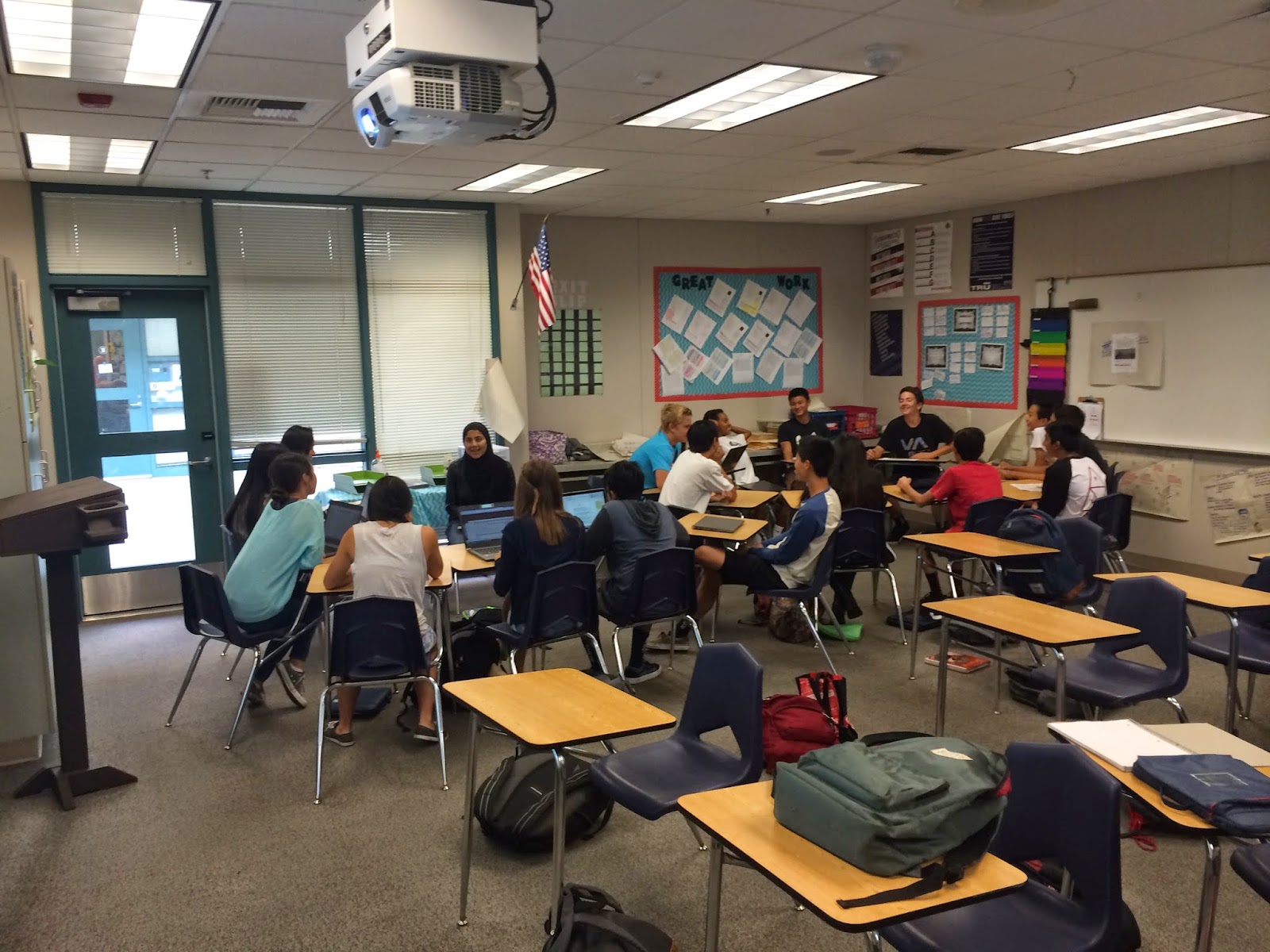
Well, after almost a month of meeting and planning, we are officially launched!  Welcome, the Beckman Tech Team!  We have 13 students from a variety of grade levels who are excited and ready to start helping their peers and teachers.

You can follow us on Twitter and like us on Facebook.  We will be posting information about the services we offer, but also tech tips, program reviews, and other good stuff.
Logo Designed by Timm, BTT Member
One of the big points that I have been emphasizing with our group of students is that not everything will be perfect, not everything will go well.  We are setting things up and planning but we know that we will probably "fail" in some aspects of how we initially decide to run things.

That's one of the reasons I'm blogging now... before we actually begin.  I want to have record of how we began and what we started with so we have a place to look back and reflect on where we've gone.

Our first couple of meetings focused on defining who we are and what we do.  Here is our initial Mission - Vision - Goals - Expectations and Commitments, which will probably be modified and adjusted as the year goes on and we define more who we are and what we want to become.


One of our opening activities was "When a student or teacher leaves our room after getting help from one of us, what do we want them to say about their experience with us?"  I asked them to give adjectives that would complete the sentence of, "Wow, that Beckman Tech Team member I worked was was very ___________________."  Here are the 11 words we came up with:


For our 3rd meeting, each of the students chose a group and had tasks to complete.

- Design & Logo Team - These students used their Graphic Design knowledge to design our logo (at top of post).  They are also working on our ID cards. - Publicity & Social Media Team - These students were in charge of creating our Facebook and Twitter accounts as well as designing the flier that we handed out this last week. - Logistics & Records - These students were in charge of editing/modifying the Google Forms for BTT team members to sign in when they are "on-duty" as well as for students/teachers to check in and evaluate our support.  They will be updating these forms with a custom heading soon. - Calendar & Scheduling - these student were in charge of making the schedule for the first 2 weeks of "on duty" time, making sure there was a variety of grade levels for each day. - First Week "Intro Speech" - these students wrote the "script" for what students needed to cover for our launch day when they went around to all of the classrooms.
For our 4th meeting, we followed up with each of the groups and planned our "launch" of walking around to the different classes during the tutorial period to spread the word.  There was a conflict so we only had half our team able to participate, but we were able to cover about 90% of the campus.  We were able to debrief for a couple of minutes before they had to head to class and they said it went great.  There were some classes who just stared at them, but others that seemed really pumped and excited!

So... this is the week!  We will have students "on-duty" during tutorial, which is a 30 minute period on Tuesday and Thursday.  As you can see from our "goals" above, our eventual goal is to expand this to before school, lunch, and after school.  However, we thought starting small at tutorial would be a great way to start.

Here are the "on duty expectations" for the team members.  Right now we just have four students on duty for each tutorial period, but depending on how that goes, we may increase or decrease it.  

Our first "techtorial" is next Tuesday for some of our students who don't know how to send emails and attach files yet.  So, one of the English teachers asked if we could help a small group of his students learn this skill in a low-risk, supportive environment.  We'll see how that goes as well!  Our room is actually a computer lab, with space/tables on each end without desktop computers, and then a big central space with computers.  That should be conducive to being able to have "techtorials" as well as the individual support stations.


Well, with that, I will blog about how everything goes for the first week next weekend-ish.  I'm hoping for the best!

Friday, December 5, 2014

Coaching Reflections - Take 4 (Reflections on Microsoft, Coaching, and Blogging)

http://upload.wikimedia.org/wikipedia/commons/e/ef/Mount_
Hood_reflected_in_Mirror_Lake,_Oregon.jpg
It's really  nice to sit down at the end of the week and reflect.  I have talked with a handful of teachers this year about blogging and have encouraged them to start blogging - not for anyone else, but simply for themselves and their growth as an educator.  It is a great reflective practice and really helps to process, learn, and grow.

People also ask how I stick with it.  Now, I've had my ups and downs with this blogs - times when I blogged 3-5x a week and times when a month went by.  But, the best growth really occurred when I committed to it and said I would sit down at least once a week (on Friday, Saturday, or Sunday), and block out 1-2 hours of time to write.  I've begun to get back into that habit again and it's been great.  I generally start my posts early in the week and make some notes and reflections as I go, but do a final writing and conclusion at the end of the week to wrap it up.

This week was a little abnormal as I was in San Diego for a Microsoft Innovative Educator Training on Tuesday and Wednesday.  Our school will soon be having both Google Apps and Office 365 accounts for the students, and four of us were sent to the training to learn more about the new things Microsoft offers that would be beneficial for education.

I'll start with my takeaways from the Microsoft training:


http://commons.wikimedia.org/wiki/
Image:Microsoft_OneNote_2013_
logo.svg?uselang=ko
  1. I learned a few neat things about Windows 8 I haven't known in the year I've had a Windows 8 laptop.  First, when on the tile view, you can go to the bottom right and click on the "minimize" button to be able to view all of your tiles at once.  Second, instead of dragging windows to the far right and left to snap them to the sides, you can just use the Windows key and the right/left arrow.  Lastly, you can actually search through the Charms bar (Windows-C; go to the magnifying glass) and it will not only search your computer's documents, but also the internet, and present the results in a very visually appealing way.
  2. OneNote is a great way to organize large sets of notes, curriculum building, and lots more.  OneNote can be thought of as a bookshelf.  On that bookshelf you can keep many binders.  A OneNote binder is just like a physical binder in that you can have sections (dividers) and then many pages within that divider.  The best part is that it's all digital, is easily searchable, can include text, images, audio, video, links to documents, embedded documents, and can be shared and collaborated on with others.  I can really see this being a useful tool for teachers in a PLC who are building a curriculum to keep a "binder" full of the resources, but now it's collaborative and can be updated or added to at any point! 
  3. OneNote Class Notebooks has a lot of potential, but you only have access to them if you have Office 365 accounts at your school and the domain administrator has opened up access for them.  Basically, as a teacher, you can create a Class Notebook that includes a content library (for a teacher to organize all the units; teacher edit and student view), a Collaboration Space (where the students can collaborate together; you can modify this to be groups of students instead of the whole class by having different sections that are password protected for each group), and a Student Notebook, which is a private space for each student shared just with the teacher.  Students can copy items from the Content Library to their student notebooks to edit their own copy of it.  There are some great uses for this, but it still is in development and has some major concerns.  First, there is no way to "copy" a Class Notebook for multiple periods or from year to year- you have to add the content to each one.  Second, there is not an easy way to assess the work in the Student Notebooks besides going to each student's page and then finding the specific place in the page you want to assess.  However, for student portfolios or for a structured/scaffolded way for students to take notes (think digital interactive notebooks made so much easier than cutting/gluing into a notebook)... this has a lot of great potential
  4. Resources and Learning Activities on the Microsoft Educator Network - these are free and available for use by anyone. I would highly recommend you check them out. 
    1. Learning Activities
    2. Bing.com CCSS Aligned Lessons - Go to bing.com → click on “info” in lower right → Click on “get lesson” near the top of the page → can then search by grade, subject, etc
  5. Office Mix - This is a great way for teachers who are more comfortable with Microsoft Office (rather than Google Drive, Screencast-o-matic or Camtasia, and other tools) to make video lessons for use in class or as a part of a flipped lesson. You can record yourself talking over the PowerPoint (with optional picture-in-picture), but you can also insert screenrecordings of other parts of your screen, screenshots, and quizzes (multiple choice, free response, true/false, and polls). Each slide hosts the recording for just that slide, so if students go back and forth on the slides, they would get your voice associated with the part they are on. They have other video apps that look interesting such as Geogebra and Khan Academy, but I haven't had the time to play around and see exactly the purpose of them yet. When you are finished, you will "upload to mix" and it will create an "Office Mix" for you. This can then be embedded on your LMS or website. With Office 365, you are able to get pretty detailed data on student use, including time on each slide and results from any quiz questions.
Let's see... from my fellows this week:

Fellow #1
https://c2.staticflickr.com/4/3692/9719081990_0e8ea200b0.jpg
This fellow wanted to use Socrative.com as an exit ticket for her students.  Her purpose was to be able to collect formative feedback from students on what they understood and what they might need more explanation on the next day.  She asked me to come in for her first class and model the Socrative portion of class.  I came in for the whole period to be a part of the learning activity.  The class started with 10-15 minutes of silent reading, and then had a group discussion activity that centered around a "4 corner" piece of paper.  As the students were getting out their paper and folding it into fourths, I had a great idea to make a Google Doc with a 2x2 table on it.  I typed as she explained the directions into the Google Doc, and then asked her if I could try something "new" out with one of the reading groups.  She selected a group of four students, and I went over and shared the document with them and they did their work on the collaborative document instead of on the paper.  Each student chose a color to type in so they could "claim" their work.  For the last 10 minutes of class, I explained the Socrative activity (which is pretty straightforward), and we watched as the student responses came in.  For the second class, she asked me to come back for just the end and choose one group from that class to do the collaborative doc as well as to watch her lead the Socrative activity.  She made a PowerPoint slide that had the details for the directions for the Socrative activity (much better than my writing on the board from the previous class) and did a great job explaining it to the students.  I am really excited to debrief with this fellow about how she felt the Socrative activity went, what information she got from the students when she read through their responses, how that affected what they did the next day, and then talk about the collaborative Google Docs and options for her.  We have not done anything with Google Docs yet, so I think this is a great opportunity to take a direct example from her class of how technology can be infused seamlessly to make things more efficient and effective for student learning and teacher management/workflow.

Fellow #2
We had the opportunity to debrief a lesson that we had done with Desmos.  I love when a fellow sees something and then continues to try it in the classroom and explore the possibilities.  We decided that we wanted to continue to use Desmos as the class begins exploring Quadratic functions.  So, my fellow is designing two "openers" to use next week on Quadratics and I will get to be in there to see how it goes and then debrief! I'm super excited.  I love getting my math fellows to love Desmos as much as I do.  

Fellow #3
Yes, another fellow working with Desmos!  For this fellow, it was the first time I had shown her Desmos, so we went over the basics of graphing and using sliders.  She was planning on reviewing systems of equations word problems homework the next day in class, so we pre-made 2 Desmos graphs to model the solution to those equations for her students.  I showed her "presentation view" (an option when you click on the wrench in the top right) that makes everything a little bigger and bolder for the students to see. Her next step is to use it to help model systems of linear inequalities so students can practice identifying the solutions without spending all the time on the graphing.  One of our long term goals with Desmos is to get the students using it to explore and create rather than just using it as a modeling tool.

Fellow #4
The math department just recently got Kuta Software, so we spent our session going over the different features of Kuta and the ways you can make Kuta work for you to make your life easier.  

Fellow #5
This was a pretty awesome meeting.  Last time we met, this fellow worked on making a collaborative Google Sheet that other teachers could sign up for.  One of her colleagues saw it and liked it, and wanted to make his own for a production his class was doing.  She told him to come to our meeting, and he came in and my fellow taught what she had learned to her colleague with me sitting there to support and guide as needed.  How awesome!  It is so great to see them empowered and building confidence, and especially sharing what they have learned.  This fellow has mentioned on multiple occasions that she would NOT be trying these new things if she didn't have a support to fall back on.  I'm so proud of her for sharing and teaching her colleague!

Fellow #6
This was a great week to just reflect and debrief with this fellow.  We have been trying a lot of awesome ideas, and I gave the analogy that "Her Tech Toolbelt is so full and heavy that her pants are about to fall down".  So, I think it is good to sit back and think about how we can use the tools we've been exploring more/better/deeper than we already are.  It can also get overwhelming managing different things students are submitting when they are coming from a lot of different sites or tools.  Since students submit links to some of their assignments on Google Forms (the things that aren't just pushed out through Doctopus), I showed her the VLookup formula so she could easily see who has/hasn't turned something in and easily give "completion" scores for assignments that aren't meant to be fully graded, but the students are expecting a grade in the gradebook for (students are very point-hungry here... it's the culture... hopefully we can work to start breaking that).  So, VLookup is set and ready.  If you want to learn how to use VLookup, you can see my (old but still good) tutorial here.

Fellow #7
We have been working on using Socrative as a warm-up tool, and this fellow has been trying it on her own for a couple class periods.  She used "snipping tool" to snip her own images and fully made her own quizzes (2-5 questions) and ran them in class.  We went over the reports and how to view student responses and easily put scores in the gradebook for participation by doing the split screen (I showed her Windows --> and Windows <-- which she thought was so cool!).  Then, I challenged her to do an Exit Ticket for her next class, since that is pre-made for teachers on Socrative... excited to see how it went!

Not-Official Fellow #8
This is a new teacher who isn't officially a fellow, but I've been working with her 2-3x a week on tech stuff.  We have set up Doctopus, pushed out 2 documents now, and explored options for students recording their voice (it's a Spanish class).  Today, I gave her a "pop quiz" on accessing and using Doctopus, and she "passed" with flying colors.  We explored Tellagami, Animoto, wished that Adobe Voice wasn't just for the iPad, and other voice-recording options to see what will work best.  I got the approval for the students to just use the webcam feature of YouTube as long as certain restrictions are followed.  So, that might be the best option, and for more creative projects or options, they can use some of the other apps, which they will have to use on their phones since they aren't PC programs yet.


In final news, 

The student tech team is officially launched... I'm going to put together a whole different post on that with our plans at some point this weekend (hopefully).  I'm really excited to see how it goes and potential that this group has.  I want to post our "plans" so that way we have a way to look back and reflect on the growth and changes we made as we began this group on campus.  


Until then!


Sunday, November 30, 2014

ISTE Coaching Academy Series - Course 1 Reflection

I started the ISTE Coaching Academy Series several weeks ago and am just finishing the first of six courses.  The course is aligned with the ISTE Standards for Coaches, which include six standards involving (1) Visionary Leadership, (2) Teaching, Learning, and Assessments, (3) Digital Age Learning Environments, (4) Professional Development and Program Evaluation, (5) Digital Citizenship, and (6) Content Knowledge and Professional Growth.  You can see the full description of the ISTE Standards for Coaches here.  You can see all of the ISTE standards (for teachers, students, adminstrators, and computer science educators) here.

Before I even got started with the course, I re-read through the ISTE Coaching Whitepaper, which you can download for free here.  I originally came across this Whitepaper when I was applying for my current position back in May.  This really helped me to wrap my head around the purpose of the coaching role and the benefits it has for teaching and learning. (You can see another great article on the benefits of coaching from Tech & Learning here). The authors lay out a clear "Situation, Problem, Solution, Result" that succinctly summarizes why coaching is one of the most effective types of professional development that a district or school can invest in.  There is so much good stuff - please download the article and read it in it's entirety.  The "Content Highlights" as stated on the ISTE website are: 


  • Introduction to three coaching models that provide highly effective professional development
  • 10 tips for leveraging technology, coaching, and community** [definitely read this part!]
  • 5 key benefits that result from the integration of technology, coaching and community
  • Introduction to the ISTE Standards for Coaches
Here is a portion of the executive summary that really stuck out to me along with a couple of comments.
Situation: Effective use of technology is essential for learning and teaching in a global, digital age.
We must leverage technology to provide engaging and powerful learning experiences for our students!  This includes assessment resources and ways to measure student achievement using technology.  If we want students to be productive digital-age citizens and be able to compete in a global, digital workplace, we must integrate technology effectively into all aspects of education! 
Problem: Many teachers do not know how to design and support technology-rich learning environments
"Just giving a teacher a technology tool and expecting him or her to maximize its learning potential is a strategy destined for failure" - How often does this happen?  Way too much... 
Solution: Coaching, combined with communities of learning, is a highly effective job-embedded professional development model
PD must be intensive, ongoing, focused on the classroom, and occurring during the teacher's workday.  We also have to allow teachers to collaborate with their colleagues to solve problems and share ideas. 
Result: Teachers experience technology as an effective tool for professional learning and develop the skills to powerfully use technology to improve student learning. 
Indicator of successful PD?  Teachers are implementing what they've learned.  Coaching allows there to be a scaffold of ongoing support and growth that allows for a lot of low-risk practice and feedback.  Quote from one of my fellows: "I'm more willing to try things this year because I know you'll be here to help me when I fail!"  Coach is customizable and personal to the teacher being coached. 
WhitePaper Citation:
Beglau, Monica, Jana Craig-Hare, Les Foltos, Kara Gann, Jayne James, Holly Jobe, Jim Knight, and Ben Smith. Technology, Coaching and Community: Power Partners for Improved Professional Development in Primary and Secondary Education. N.p.: ISTE, 2011. PDF.

    Let's jump in to my reflections and learning from Course 1.  The focus of this course was on Standards 1 (Visionary Leadership) and 4  (Professional Development and Program Evaluation).  This course was really helpful in thinking through my coaching plan (even though I'm already in the middle of the year and a lot of my plan was pre-planned before I took the position), goals, and the vision for my role in managing the change process across my site.  It also helped me to evaluate my professional development experiences so far (both as participant and leader) and think about how to make them more effective in actually making change in the classroom.

    We were able to explore the characteristics of effective professional development, which is defined as professional development that actually changes the way teachers teach.  We were given some stats - if teachers are just given Theory and Practice, there is a 5-15% classroom application rate.  However, if you add to those two Coaching, Study Teams, and Peer Visits, there is an 80-90% classroom application rate.  It is clear that PD needs to be so much more than "sit and get, come to the monthly requirement and have no follow up training, support or accountability, have a nice day!" sort of thing that I think way too many of us have experienced.  It's important to note that Coaching, Study Teams, and Peer Visits are all things that encourage collaboration and reflection - and that is key in any form of teacher growth.  

    If I think of what helped me to grow and change as a teacher, it was exactly that.  Before I started blogging myself, I was reading other teacher's blogs and gleaning from them.  I was in my Master's program doing an Action Research Project that required a lot of data collection but also reflection and analysis.  Then, I began implementing the flipped classroom model with a lot of research and reading.  When I started actually publishing my reflections on this blog, it really allowed me to think through the things I was trying and what I was doing to help my students grow.  Blogging, Twitter, and just the online PLN that has been developed from those two things has been huge in my professional growth and development.  It has given me a space to learn and try new things, but then receive feedback and suggestions for changes or improvements - that ever-so-valuable collaboration piece!


    So how does this apply to the teachers I work with?  Not every teacher is comfortable or ready to get out there and blog or get on twitter to connect and reflect with educators outside of their comfort zone.  This is where coaching comes in, giving those teachers the safe space to reflect as well as the guidance needed, since reflection does take time and focus.  They can receive training on a certain thing, be given time to play with it in a "safe" and "I'll be here when you fail" space, receive follow-up support and encouragement, and a structure, safe way to implement new practices via co-teaching and model lessons. 


    We also looked at the qualities of a good coach.  A few that stuck out to me (this is not all-inclusive) were:


    • Ability to build trust with peers - this is huge.  I actually really liked the fact that I started this position in a brand new school and district as it eliminated the need to "transfer" relationships from colleague to coach.  While many teachers know about my blog or follow me on Twitter, I try to keep a low profile in terms of "my expertise" and focus on meeting them where they are and helping to meet their needs.  Trust is critical because we are challenging our fellows and pushing their thinking.  We can't come across as a 'know-it-all' or someone who is judging them.  They must know that we are here to support them and that they can trust us to keep a level of confidentiality.  The course gave six building blocks of trust: Compassion, Communication, Commitment, Collaboration, Ability, and Integrity.  I hope that I model of of these aspects to my teachers, and I have definitely seen their confidence and willingness to try new things grow as our relationship has grown.
    • Communicates well and listens to teachers.  This ties in to building trust.  If a teacher knows that you care about what they are experiencing and what they are thinking, that helps them to build confidence and trust in you.  I strive to be a good communicator who listens to teacher needs and finds ways to meet them where they are and take their next step, wherever it may be.
    • Can show teachers how to replace what they are doing with something better, not just present technology as an add-on. Teachers already have so much on their plate.  Add all the new Common Core stuff, and then throw laptops at all their students, and they are overwhelmed.  One of my focuses (foci ;)) this year has been to present technology as a solution to a problem they have - something they want to do or are already doing non-digitally and show them how to make it more efficient or effective with a technology tool.  When I did some workshops a few weeks ago on Google Forms, Doctopus, Socrative, and Online Annotation Tools, they were all advertised in terms are "Are you looking for a way to..." - it didn't mention the tech tool, it presented a solution.
    • Provides a safe, risk-taking environment and is non-threatening, non-judgmental, and accepting.  If the teachers don't feel safe, they won't be willing to try.  It's the same for our students.  I was thinking yesterday about my collegiate basketball experience as an analogy for risk-taking and growth.  I only played for 1 year due to multiple injuries (torn meniscus, ruptured achilles tendon, and herniated disc in my back), but it was such a different experience than my high school playing years... and it was all based on the coach.  My high school coach was encouraging, even during failure.  He inspired us to take risks, try new skills, and was always looking for improvement, not perfection.  I felt free to play, learn, grow, and enjoy the sport.  When I got to the collegiate level, after just a few weeks, I felt strapped down. I felt anxious.  I was always worried about the anger and disappointment that would ensue if I made a mistake. I was not able to take risks because it might be "wrong".  I was afraid to try because the eyes were always looking for the failure, not the improvement or successes.  In a situation where I could have continued to grow and flourish, I shut down.  I want to be like my high school coach to the fellows I work with.  I want to "inspire them to take risks, try new skills, and look for improvement, not perfection".  I want them to "feel free to play, learn, grow, and enjoy teaching and learning with technology".
    While I am far from the perfect coach, these are a few of the qualities I am continuing to work on as I grow professionally.  Seeing the list of qualities and reflecting on each of them really gave me a goal of different areas of strength I need to keep nurturing and different areas of weakness to focus on improving in.


    Another area we looked at in this course was the Coaching Cycle.  We use a three-stage Prebrief-Implementation-Debrief cycle, but I really liked some of the areas that were included in this cycle.  They started with Assess and Set Goals.  I think this is something I can do a better job of next year when I start working with my teachers.  Assessing means not only evaluating their technology skills but also their instructional strategies.  This may mean starting off by just being in the teacher's classroom and debriefing on the instructional strategies they are already using, and identifying goals and areas for growth.  I think this approach would help us to begin with a focus on instruction and less on the technology.  Once we have set some initial instructional goals, then we can assess the teacher's technological readiness, areas of strength, and areas of weakness.  From those two pieces of data, we can set goals that marry the instructional and technological together.  Some goals will be more instructionally focused, others will be "learn the tech tool" focused, and others will coincide so seamlessly you may not even realize it.

    After these two starting phases of the cycle, which I think are important to revisit 3-4 times throughout the year, the model was similar to the three-stage cycle we use.  They called it "Prepare, Implement, Reflect", but it was the same idea.  In the prepare stage, you may be planning an activity or project, you may be sharing lessons and resources, you may be creating or adapting materials, or you may just be reviewing or learning tech skills (or any combo of those).  Throughout the prepare phase, it is the role of the coach to ask probing questions that will help the teacher to make their learning activities more innovative and technologically-rich (all with the goal of greater student understanding and engagement).  The implementation phase can be modeling, co-teaching, or just cognitive (coach observing), but it is important to bring up areas that may need to be adjusted throughout the lesson and have a way to assess student learning, even if it is just one lesson.  Lastly, the Reflect phase is all about determining the effectiveness of the lesson implementation and setting the stage for the next cycle.  In the last few weeks, I have been modifying the prompts in my coaching journal to include more goal setting and reflection on effectiveness of the lesson.  As I've written before in one of my last reflections, the two debriefs I've done with these prompts have gone very well and I felt they were effective tools for reflection.


    The next section talked about creating coaching norms.  The whole purpose of norms is to help teams or groups work together more efficiently.  We were able to see a lot of different examples of norms and were asked to come up with 3-5 for our coaching.  Here is what I came up with:


    • Start and End on Time - be respectful of both coach and fellow's schedule.  If something comes up, communicate in a timely manner before meeting time.  Be committed to the schedule and block off the time on your calendar.
    • Limit Distractions - Meetings are for planning and debriefing.  Schedule other times for "venting".
    • Hold yourself personally accountable and accept ownership for your own learning - I am there to coach, facilitate, and teacher, but it is up to my fellows to work with me and help carry out the mission.
    • We will discuss issues, not people - Our overarching goal is to focus on student learning and how to improve or deepen the learning currently happening in the classroom with the support of technology.  Stay focused on this "third point"

    Our culminating assignment was to develop a coaching plan and give feedback on other's submitted coaching plans.  We also were given a reflection guide, but heck - I'm a blogger... it was much easier to synthesize and reflect on here - then I have the added benefit of sharing my learning with others and receiving feedback, thoughts, and experiences from you (please comment and share!) 

    Thanks for reading!


    See all of my ISTE Coaching Academy Course Reflections here:
    Course 1 Reflections 
    Course 2 Reflections,
    Course 3 Reflections
    Course 4 Reflections

    Course 5 Reflections

    Course 6 Reflections

    Friday, November 28, 2014

    Desmos implementation and use ideas - worth missing a nap opportunity for...

    I could have spent the last 3+ hours taking a much needed nap on this Thanksgiving Break.  Instead, I got caught up looking up awesome Desmos and Math Lesson / Activity Ideas.  It's times like these I wish I had a classroom to implement these into right away.  Well, in a way, I do - I don't have my own classroom, but I do have 5 math fellows to try new things out in!  My brain is flooding with ideas of ways to use it in both little bits (lesson intros, aids, etc) and big bits (whole-class period exploration and inquiry activities).  So, even though I don't teach this course anymore, I am going through my Math Analysis (PreCal) concept list and writing down ways Desmos can be used as a tool to help students discover and explore math concepts and/or aid in providing a visual or model for the math concept.  

    As I'm going through my  Math Analysis Unit Map and almost every single concept could have been explored (think discovery / inquiry) and/or reinforced with the visuals and modeling provided through using Desmos.  
    (To see all the resources I have aligned with these concepts already, as well as video lessons for every concept, please see my student site at kirchmathanalysis.blogspot.com

    Oh, and don't forget about the awesome activities at teacher.desmos.com or dailydesmos.com.  What a world of opportunity!  Life. Is. Changed.


    Here are my thoughts - there are some concepts I don't have notes by but I left them in there so you can see the whole unit picture. If you have ideas (or activities already designed and are willing to share!!!) for any of these, please comment and share. The document linked below is "commentable", so please feel free to comment there or on this post.

    This is just a list for one of the courses I taught for the last 5 years.  I know there are a lot more things Desmos can do that is outside the scope of this course, so I added an "other" section at the very end for other "cool stuff I don't want to forget" but that doesn't align with what my brain has been wrapped around for so long.  There are also a lot of concepts in this list that are "review" for Math Analysis and thus are originally taught in Algebra 1, Geometry, or Algebra 2.

    One of the things that sticks out to me so much is that these visuals and models of the math would have helped SO many of my students do more than just memorize procedures and formulas.  They would have been able to "see" it and thus (hopefully) make more sense of it.  While I can't go back and change the past, I can help to change the future!!


    To go directly to this document and add comments or suggestions, please click here


    Tuesday, November 25, 2014

    EdCafes: Student Voice with Choice [Guest Blog Post]

    Dawn Lam is an English Teacher at Beckman High School and one of my amazing fellows this school year. After attending #EdCampUCLACenterX a few weeks ago, she came back with the idea of doing an EdCamp-Style discussion called an EdCafe. I can't take any credit for her planning or implementation because she just took the idea and ran with it (which I LOVE!) - thankfully, I was able to sit in and be a part of one of her class periods during the EdCafe to see the awesomeness that unfolded. I asked her to write a guest blog post here at Flipping with Kirch to share how she came about the idea of an EdCafe, describe her process, and reflect on the implementation and impact on student learning. You can follow Dawn on Twitter @MrsLamBHS

    ~~~
    Thank you, Crystal for allowing me to be a guest blogger! Working with Crystal has been such an awesome learning experience and I feel so fortunate to have her as a coach/mentor.

    http://upload.wikimedia.org/wikipedia/commons
    /c/ce/Atticus_and_Tom_Robinson_in_court.gif

    I came across the Edcafe model after attending an Edcamp earlier in the month. I tweeted about my experience and a response mentioned that I should check out the student version, Edcafes at http://whatisanedcafe.wordpress.com/. As soon as I read through Katrina’s site, I knew I wanted to try out this discussion model in my English classroom.

    Essentially in an Edcafe, 4 students act as facilitators and lead a discussion centered on a topic of their choosing in each corner of the classroom. The rest of the class gets to decide which of the 4 discussions they’d like to attend based on in their interest in the topic. After the allotted time (I allowed 7 minutes for the discussion), 4 new facilitators lead discussions in the classroom corners. Therefore, a participant has the choice to attend 2 different discussions during the Edcafe. It’s a great way to offer students choice during class discussions.

    Here is a video montage of EdCafes in action:


    http://upload.wikimedia.org/wikipedia/
    commons/3/34/Dust-storm-Texas-1935.png

    My students were examining the DBQ: What Caused the Dust Bowl? to provide some historical background to the novel, To Kill a Mockingbird, and as a way to help provide them skills necessary for future AP History courses. The students were examining historical documents in groups and beginning to hypothesize the causes in preparation for an essay. To be honest, I just added the Edcafe to the lesson plans immediately, without too much planning and luckily, I was very happy with the results.


    I created Google sheets for each period and handpicked my facilitators (4 per session: 2 sessions). I posted the sheets on my Haiku page and asked the facilitators to fill out the sheet with their chosen topics by the evening before the Edcafe.   

    Here are the questions they came up with:


    Two days before the Edcafe, I showed each class the Edcamp  video and posted it to my Haiku site. I orally explained my own experience as a participant at an Edcamp and ran through the main parts: facilitator introductions, discussions, and takeaways. Ideally, I would have shown them the Edcafe video, but I did not come across this until the day of our Edcafes.


    The day of Edcafes, I began with a brief overview via Google slides. 


    Each facilitator stood up and presented their topics and classroom locations, while I had the Google sheet projected on the screen. Students had 1 minute to get to their corners and discussions began. During the first session, I noticed some facilitators had notes, research and/or questions prepared. Others informally held a discussion, posing questions to keep the discourse continuing. I put 7 minutes on the timer and as an observer, circulated the room, taking notes of what was being said and who was speaking in each corner. Once the timer went off, I again allowed 1 minute for transition to session 2.


    After session 2, students went back to whole class seating and had 2 minutes to write a takeaway on a post-it for my exit board. One by one, each facilitator stood up and shared a takeaway from the Edcafe discussion he/she hosted.


    The "Exit Board".  Each student has a number
    and posts their sticky note on their number.


    So...what did I learn? 

    First of all, the Edcafe allows for student choice, which immediately makes the discussions more engaging. 

    Secondly, the session topics need to be posted and made available as soon as possible, so students have an opportunity to think about which discussion they’d like to attend. After researching Edcafes in more detail after our first try, I noticed I need to encourage facilitators to prepare a catchy name for their session and present a more engaging introduction to help them “sell” their session to the class. 

    Finally, depending on the dynamics of the class, it would be super helpful to provide facilitators a sheet to complete in order to prepare for their discussions. I came across this one and plan to adapt it to fit my students’ needs. Check out Ms. Fillingham’s site for more help!


    Here are some results:


    After 2 Edcafes, I created a survey via Google forms to get my students’ feedback. My goal was to find out what students thought about the model, measure whether I was meeting my class objectives, and also learn from students the best way to adapt the Edcafes to meet their needs.


    ~~~
    Thanks Dawn for sharing your EdCafe experience. Don't forget to follow Dawn @MrsLamBHS and let us know how your EdCafe experience goes!

    Happy Thanksgiving Everyone!
    Related Posts Plugin for WordPress, Blogger...